What the Defra spreadsheet is
It is Defra's receipt of waste template: a spreadsheet for telling Defra about every load a site receives, meant for sites that do not yet have waste software. It is one of two ways to send a load to Defra; the other is waste software connected through an API. Our full guide to digital waste tracking explains both routes side by side.
Who it is for
Any site that receives waste and has no waste software yet can use it: a yard, a transfer station, a skip hire site taking loads in. Many movements and several sites can go on one sheet, but you start a new sheet for each submission and keep one sheet per organisation. Transfer stations with many loads a day feel it most: see our transfer station page.
The rules for filling it in
Download the template from GOV.UK's Report receipt of waste guidance, fill in the mandatory fields and upload it. You cannot use your own spreadsheet or change Defra's format. You can mix the spreadsheet and waste software. Each load needs the movement, the carrier and receiver details, the waste codes, and any POPs or hazardous data it carries.
It is temporary
The spreadsheet is a stopgap. Defra describes it as a temporary route for sites while they get software, to be withdrawn later. Treat it as a bridge, not a permanent habit. Check GOV.UK before you rely on it for the long term.
What it is like at 50 loads a week
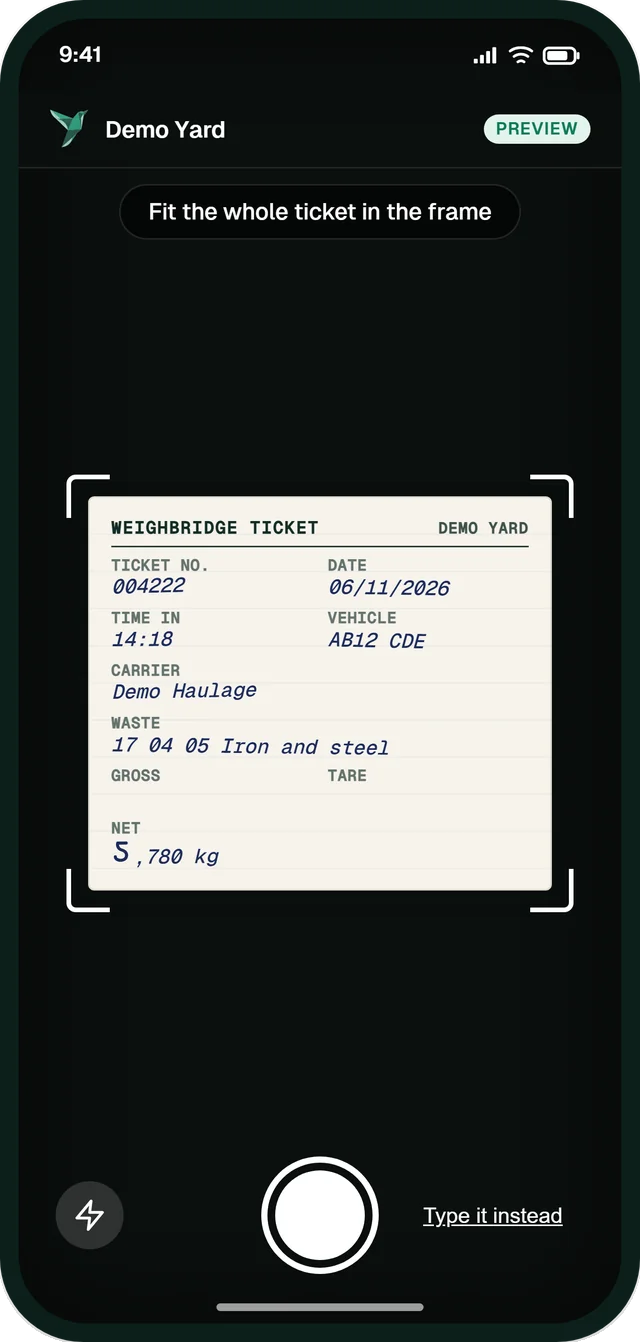
Every row is typed in by hand, and each load needs its waste codes and carrier details. Each load runs on a 2-working-day clock starting the day after the waste arrives. Weekends and bank holidays do not count, so a load that arrives on the Friday before a bank holiday Monday is due by 11:59pm on Wednesday. At about 5 minutes a ticket, 50 loads a week is over four hours of typing.
The easier way
Snap each ticket in the Chitly app and we enter and check the Defra record within 2 working days of your photo. If you are on the spreadsheet today, we open a records app account in your name and do the typing there. The full step by step is on How it works.
If software suits you better, see software or done for you.
Questions
Who can use the Defra spreadsheet?
Any site that receives waste and does not yet have waste software can use it.
Can I use my own spreadsheet?
No. You must use Defra's template as it is.
How long will the spreadsheet be available?
Defra calls it temporary and will withdraw it later. Check GOV.UK for the latest.
Can you fill in the spreadsheet for me?
Not the spreadsheet itself. We move you onto a records app account in your name and do the typing there. You still snap each ticket in the Chitly app, and we check every record against your photo.
Does using the spreadsheet change the Defra charge?
No. Defra charges £26 a year for each organisation, whichever way you send your loads.
Can I put loads from several sites on one sheet?
Yes, if the sites belong to the same organisation. A second organisation needs its own sheet.
Our full guide covers the dates, the penalties and who has to report.